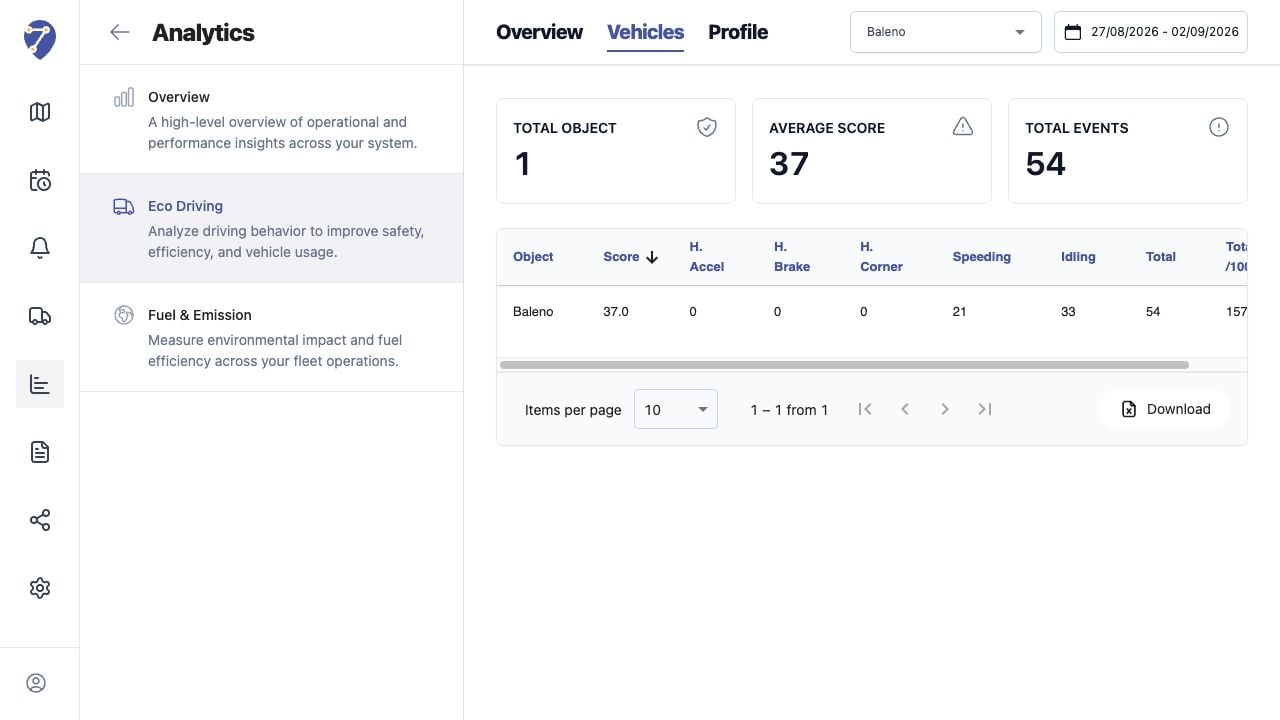
Vehicles provides a detailed row for every assigned Object that has results for the selected Profile and period.

Loading Vehicle Results

  1. Open Analytics > Eco Driving > Vehicles.
  2. Select a Profile.
  3. Select the date range.
Reviewing Eco Driving by Vehicle in Jitra staging

Reading Summary Cards

Total Object, Average Score, and Total Events summarize the currently loaded result.

Reading the Table

  • Object and Score
  • H. Accel, H. Brake, and H. Corner
  • Speeding and Idling
  • Total
  • Total /100KM or the normalization used by the Profile

Sorting and Paging

Click a column heading to sort. Use Items per page and page controls when more Objects are available.

Downloading Results

Click Download to export the loaded Eco Driving vehicle data to Excel. Confirm the selected Profile and period before using the export externally.