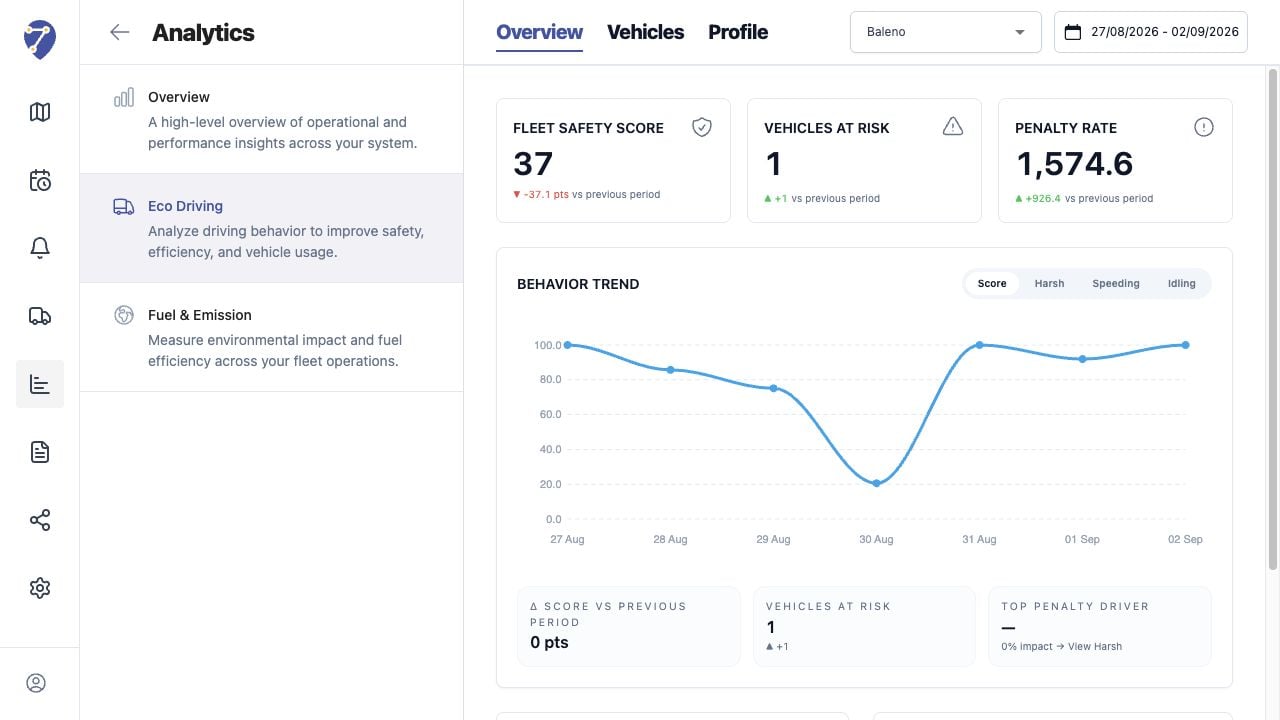
Eco Driving Overview summarizes the selected Profile and period at fleet level.

Loading the Overview

  1. Open Analytics > Eco Driving > Overview.
  2. Select a Profile.
  3. Select the required date range.
Viewing Eco Driving Overview in Jitra staging

Reading the Main Metrics

  • Fleet Safety Score
  • Vehicles at risk
  • Penalty Rate
  • change versus the previous period

Reading Behavior Trend

Switch between Score, Harsh, Speeding, and Idling. The chart and diagnostic values follow the selected behavior.

Reviewing Risk and Penalties

Highest Risk Vehicles ranks Objects by score and Events. Penalty Contribution shows which behavior contributes most to the result.

Comparing Periods

Keep the same Profile and comparable date lengths when evaluating change. Profile edits or assignment changes can make two periods unsuitable for direct comparison.