
In the current UI, an API client is represented by an API Key record with a Name and optional Duration in days.

What to Check

  1. Open Settings > API Keys.
  2. Click New.
  3. Enter a Name that identifies the system and owner.
  4. Set Duration according to the approved rotation period.
  5. Click Save and protect the issued credential.

Current Jitra Workflow

Do not use a person’s name alone or create a non-expiring key without an approved reason. The key is a secret and must not be placed in screenshots, source control, or chat.
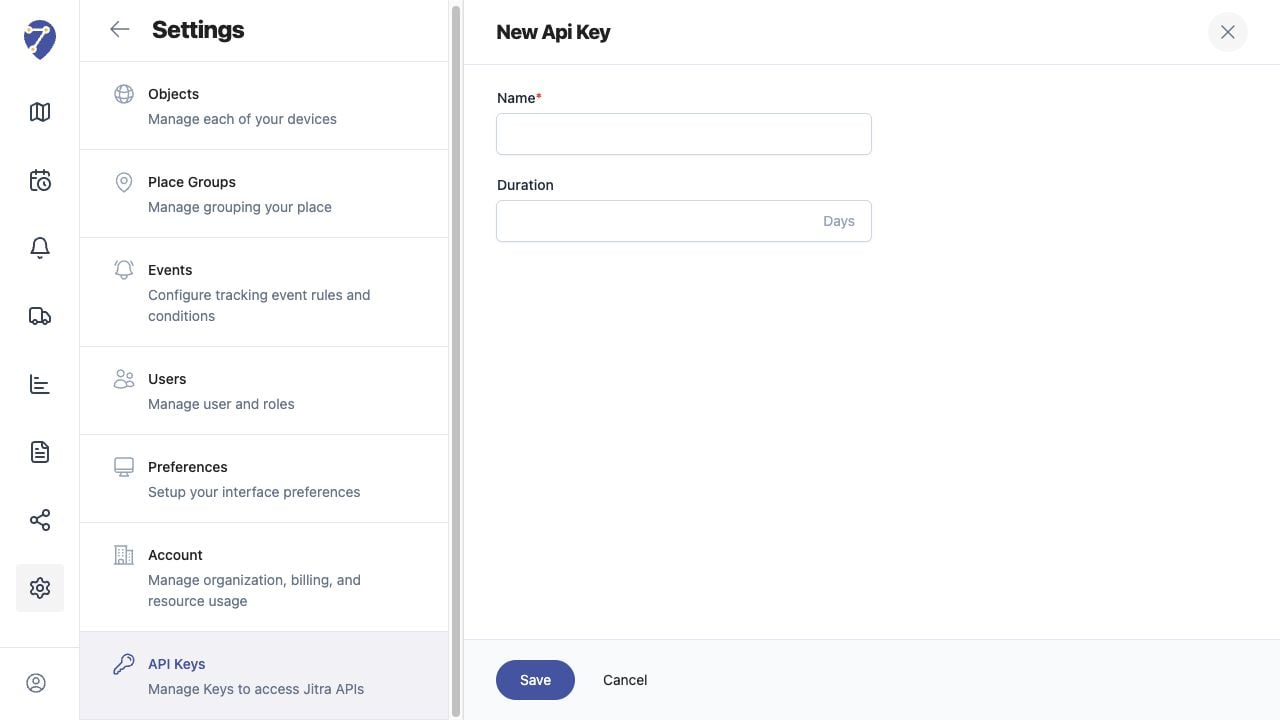
Creating an API Client screen on Jitra staging

Reviewing the Result

Confirm the saved or displayed information matches the intended Object, users, period, and Organization workflow.

If the Issue Continues

Review required fields, access permissions, available data, and Organization limits. Contact an Organization administrator or Jitra support when the required control is unavailable.