
Webhook events originate from the Event rule and carry information defined by the supported integration payload.

What to Check

  • Event Type and rule Name identify the condition.
  • Object identifies the affected asset.
  • Timestamp identifies when the Event was recorded.
  • Location, Geofence, message, or details can depend on Event Type.
  • Consumers must tolerate optional fields and version changes as documented.

Current Jitra Workflow

Compare webhook delivery with Event Notifications and History when validating the source Event.
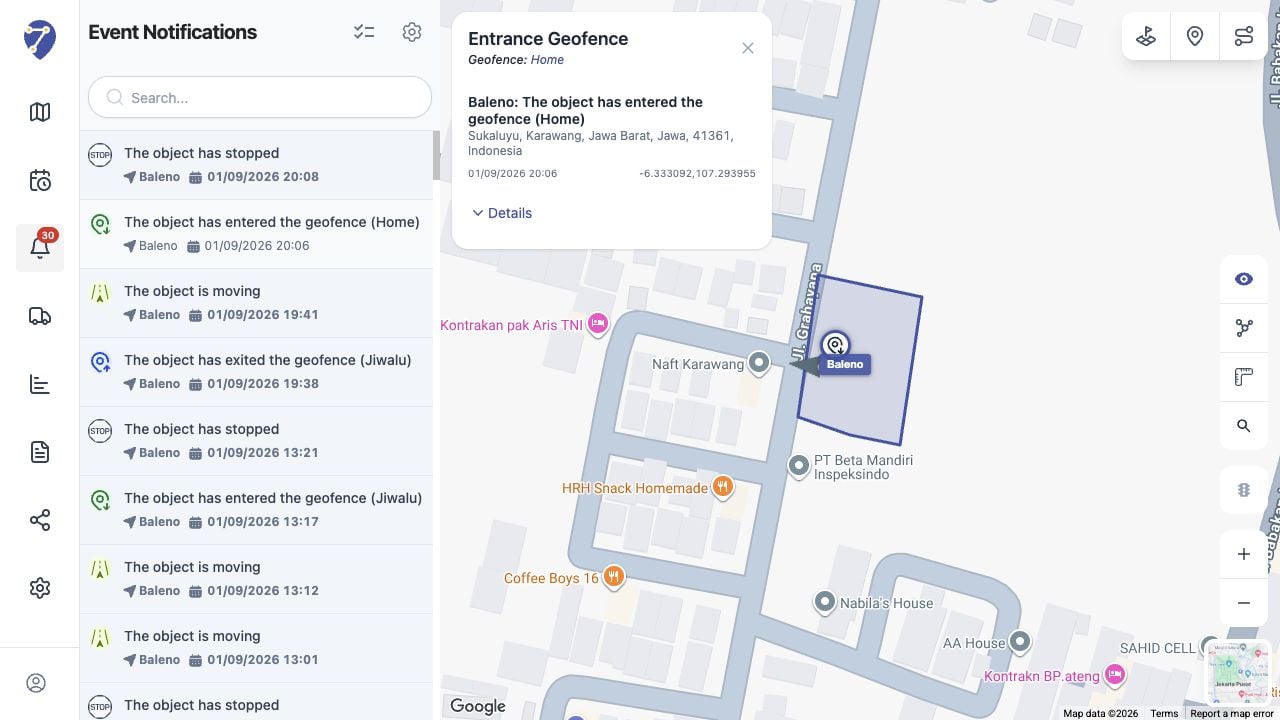
Understanding Webhook Events screen on Jitra staging

Reviewing the Result

Confirm the saved or displayed information matches the intended Object, users, period, and Organization workflow.

If the Issue Continues

Review required fields, access permissions, available data, and Organization limits. Contact an Organization administrator or Jitra support when the required control is unavailable.