
Integration usage limits protect the service and are displayed per Object and day for the active subscription.

What to Check

  • API Calls, Webhook Deliveries, and Email Notifications are counted separately.
  • Daily usage resets at 00:00 UTC.
  • Usage is counted per Object per day, not pooled.
  • Available capacity depends on the Integration subscription.
  • Clients should back off and retry only as documented.

Current Jitra Workflow

Open Settings > Account > Resource Usage > Integration and choose Date Range to review current counts and per-Object status.
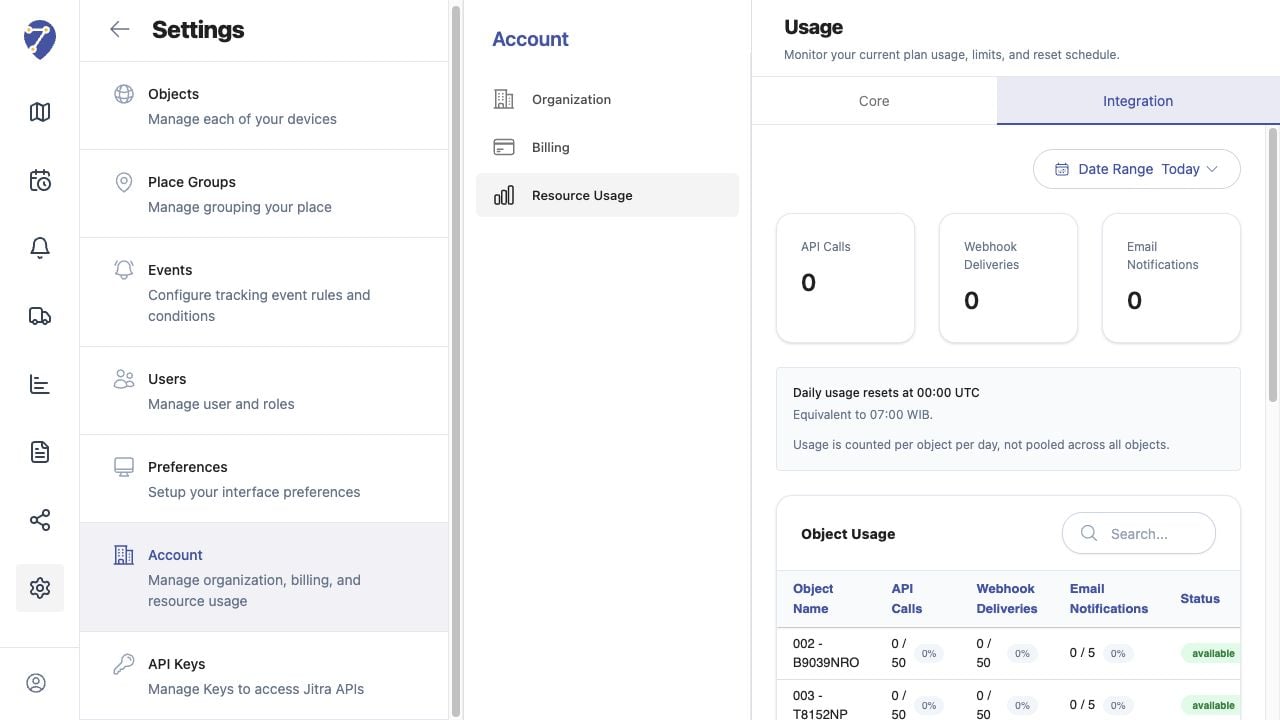
Understanding API Quotas and Rate Limits screen on Jitra staging

Reviewing the Result

Confirm the saved or displayed information matches the intended Object, users, period, and Organization workflow.

If the Issue Continues

Review required fields, access permissions, available data, and Organization limits. Contact an Organization administrator or Jitra support when the required control is unavailable.